
Boutique CRM
A workspace for fashion buying, goods receiving, inventory and checkout across several boutiques.
About the project
Boutique CRM brings the buying office, warehouse and shop counters into one system. Buyers track seasonal collections, showroom appointments and deposits. Store and warehouse staff use barcode scans to check deliveries and keep stock up to date by shop and size.
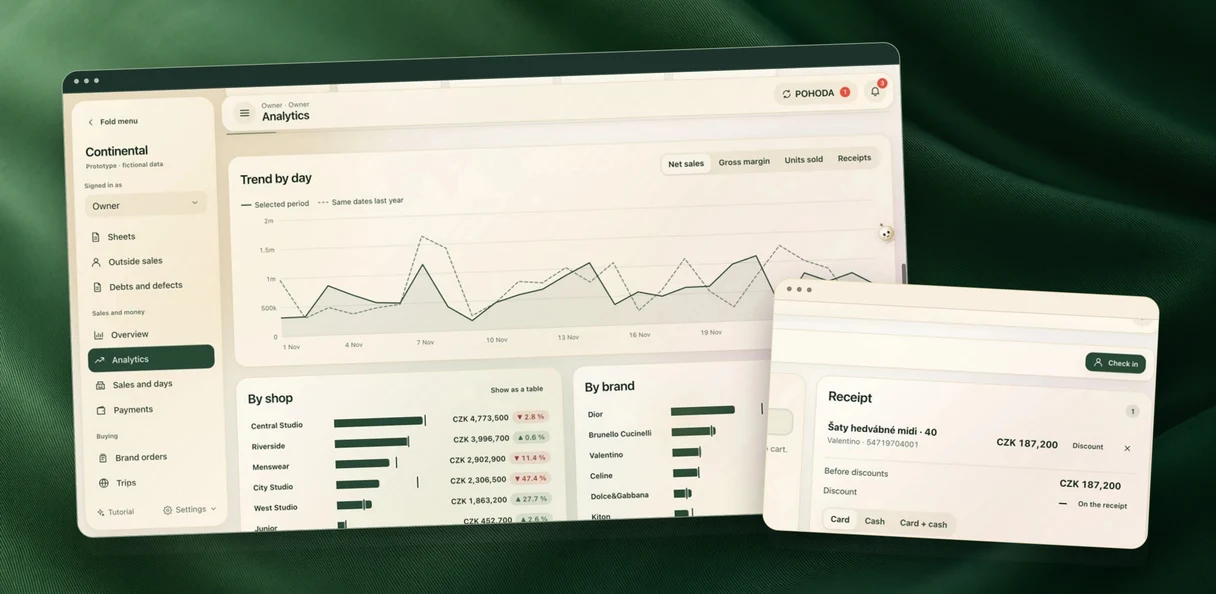
The office can review delivery discrepancies, prepare stock documents and exchange them with POHODA. Managers can compare sales, returns and cash totals across shops. The gallery shows the redesigned sign-in and the CRM preview with sample records.
Inside Boutique CRM
Sign-in and the day-to-day views for the buying office, warehouse and shop teams.
Continental sign-in with the CRM’s forest-green and cream palette
Office workspace with daily tasks and upcoming events
Brand orders with seasonal collections, quantities and delivery windows
Receiving queue showing delivery status and quantities checked by shop
Stock by shop, item and size
Shop checkout with barcode entry, cart and payment options
Sales analytics with a daily trend and a breakdown by shop and brand
From the buying office to the shop floor
Each team has the tools and records it needs for its part of the workflow.
Seasonal buying and appointments
Track brand orders, collections, budgets and deposits. Plan showroom visits with shared availability and an itinerary.
Goods receiving and stock
Match scanned items against supplier files, review differences and prepare stock movements and labels.
Checkout and cash reconciliation
Record sales, returns and cash movements at the counter and reconcile each shop’s register at day-end.
Management reports
Compare sales and returns by period, shop or brand and review shop expenses and register totals.
From order to checkout
The workflow connects purchase planning, delivery checks and store operations.
Plan the buy
Record the collection, delivery window and showroom visit.
Check the delivery
Scan the pieces, compare the count with the supplier file and review any differences.
Post the receipt
Generate labels and send the approved stock document to POHODA.
Sell and reconcile
Ring up the sale and include it in the shop’s end-of-day close.
Technology stack
A web application with a shared database and a connector to the accounting system.
Web app
Shared interface components power the buying, warehouse and checkout screens.
- Next.js
- React
- TypeScript
- Tailwind CSS
API and data
Server routes and database procedures handle order, inventory and cash operations.
- Supabase
- PostgreSQL
- Drizzle ORM
- OpenAPI
Accounting exchange
A Windows bridge exchanges stock and point-of-sale documents with POHODA.
- POHODA
- XML
- Node.js
- PowerShell
Deployment
GitHub Actions runs checks before releasing the CRM to the server.
- GitHub Actions
- Linux VPS
Ready to go beyond?
Tell us what you need and we will come back with a clear next step.
Request a private consultation